Your second brain is only as good as the app holding it. And in 2026, three tools dominate the serious note-taking conversation: Notion, Obsidian, and Roam Research. Each has a passionate user base, each has real strengths, and each will feel like the obviously correct choice — depending on what you need it to do.
Here's an honest comparison of all three, plus a clear recommendation for different types of users.
THE QUICK BREAKDOWN
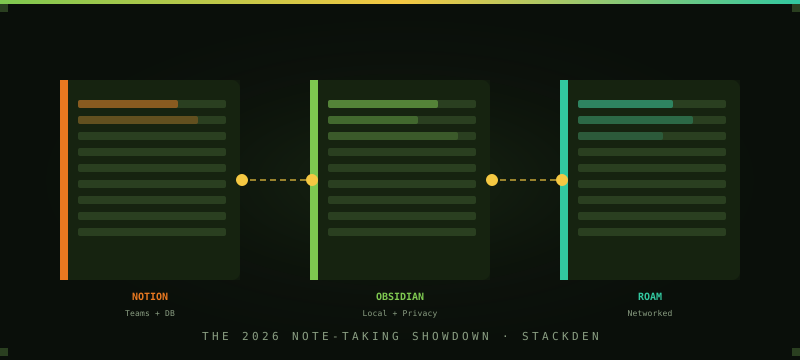
- Notion — Best for teams, databases, and project management alongside notes
- Obsidian — Best for personal knowledge management, privacy, and offline-first work
- Roam Research — Best for networked thought, researchers, and heavy daily note-takers
NOTION — THE TEAM PLAYER
Notion is the most versatile tool of the three — but that versatility comes with tradeoffs. It's less a pure note-taking app and more a workspace that can hold notes, databases, wikis, project boards, and team documentation in one place. For teams, this is genuinely valuable: everyone works in the same system, pages cross-reference each other, and you can build custom databases for anything from product roadmaps to content calendars.
The AI integration (Notion AI, $10/month add-on) makes it even more powerful — auto-drafting pages, summarizing meeting notes, and answering questions about your existing docs. The free plan is generous for individual use, and the team plan starts at $12/month per user.
Best for: Teams, anyone who wants databases and project management alongside notes, people who prefer a polished interface.
Not great for: Pure writing flow — the interface can feel heavy when you just want to capture a thought fast. Also: everything lives in Notion's cloud, which matters if you care about data ownership.
OBSIDIAN — THE PRIVACY-FIRST CHOICE
Obsidian takes a fundamentally different approach: your notes are plain Markdown files stored locally on your device. Obsidian is just the interface on top of them. This means your data is yours, it works offline by default, and it'll still be readable in 20 years even if the company disappears. That's a meaningful differentiator for anyone who thinks long-term about their notes.
The graph view — a visual map of how your notes link to each other — is genuinely beautiful and occasionally useful for seeing unexpected connections. The plugin ecosystem is enormous, with thousands of community-built extensions. The learning curve is steeper than Notion, but once you're past it, Obsidian is incredibly fast and flexible.
The app itself is free. Sync (to use across devices) is $8/month, and publishing (to make notes public) is $16/month — though both are optional.
Best for: Solo users who prioritize data ownership, offline-first work, or long-term personal knowledge management. Writers, researchers, and privacy-conscious users.
Not great for: Teams — sharing and collaboration is awkward without third-party workarounds. Also not ideal if you want rich databases or project management built in.
ROAM RESEARCH — THE THINKER'S TOOL
Roam is built around one idea: every piece of information should be able to link to every other piece of information, bidirectionally. When you mention a concept in one note, Roam automatically shows you all the other places you've mentioned it. Over time, your notes develop a web of connections that surfaces patterns and insights you'd never find in a linear note-taking app.
This makes Roam exceptional for researchers, academics, writers working on long projects, and anyone whose thinking benefits from seeing connections across ideas. The daily notes structure encourages consistent journaling and keeps your most recent thinking at the top. At $15/month (no free tier), it's the most expensive option here — and it earns it for the right user.
Best for: Heavy thinkers, researchers, academics, writers working on complex projects, anyone who finds value in seeing how their ideas connect over time.
Not great for: Team use, casual note-taking, or anyone who doesn't need the bidirectional linking complexity. The interface takes real time to get used to.
WHICH ONE ACTUALLY BELONGS IN YOUR STACK?
Choose Obsidian if: You're a solo user, care about data ownership, work offline often, or want to own your notes forever.
Choose Roam if: You're a researcher or serious writer who wants to see how your ideas connect over time and are willing to pay for it.
THE HYBRID APPROACH
A growing number of knowledge workers use two tools: Notion for team-facing work and shared documentation, and Obsidian for personal notes and thinking. This works well in practice — Notion for the external, Obsidian for the internal. The overlap is minimal and each tool stays in its lane.
Whatever you choose, the most important thing is using it consistently. A simple system you actually use beats a sophisticated one you maintain in theory. Start with Notion (free, lowest barrier) and only switch if you hit a genuine limitation that another tool solves.
FIND THE RIGHT TOOLS FOR YOUR STACK
Browse 170+ curated AI tools, productivity apps, and software — filtered by category, price, and Sage's personal picks.
BROWSE THE DIRECTORY ▶